This article is a step-by-step guide on updating a section of your webpage by using context from another section on the same page through the AI Editor on Graphy. This feature is useful when you want to maintain consistency in tone, messaging, or structure across different sections of your website.
Step 1: Click and select the section that you want to update.
Step 2: In the AI edits Tab or in the chat window, write a prompt defining what changes you want in the selected section and which section’s context should be referred to.
For example: “Update this section to match the styling of the above section above.”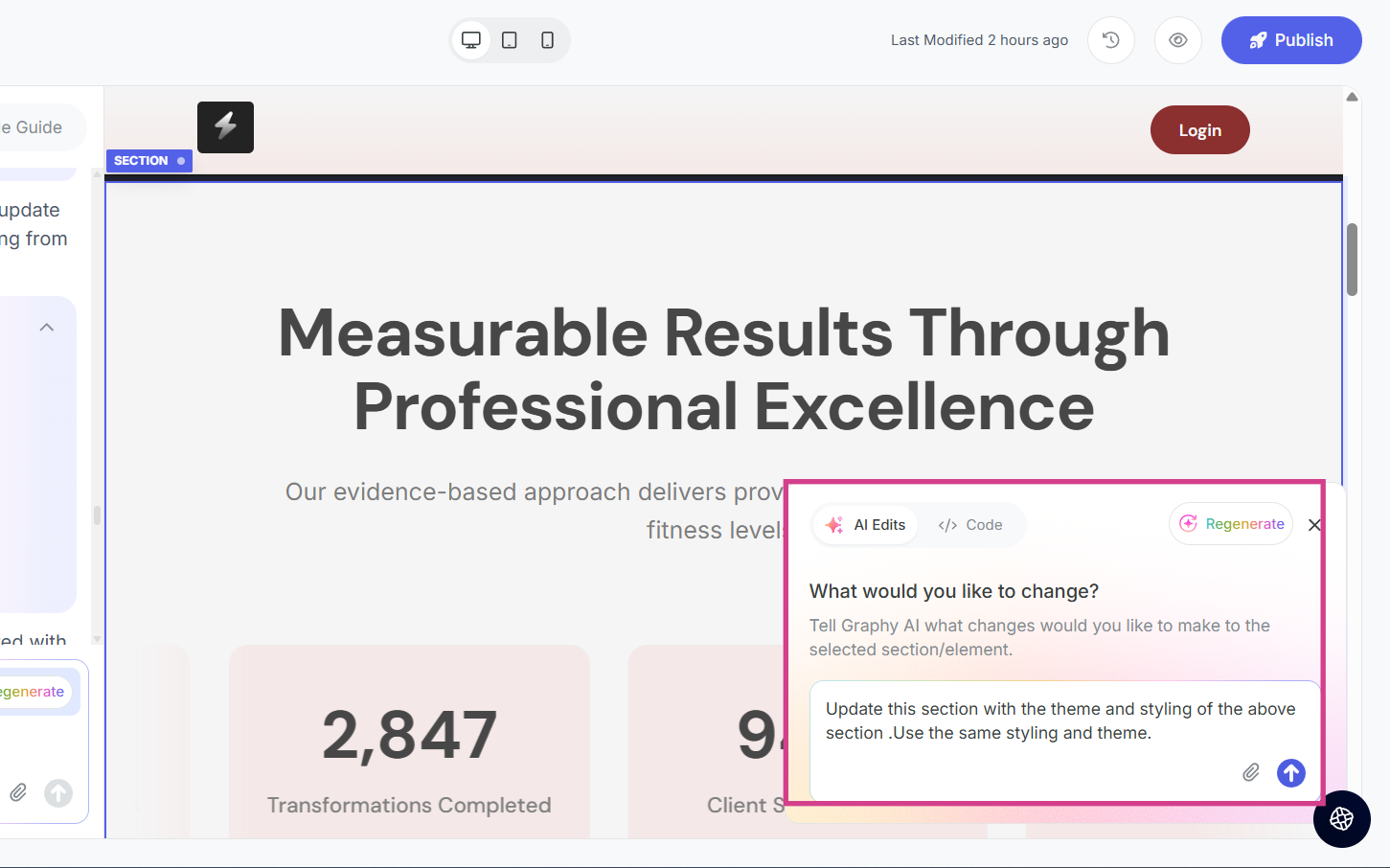
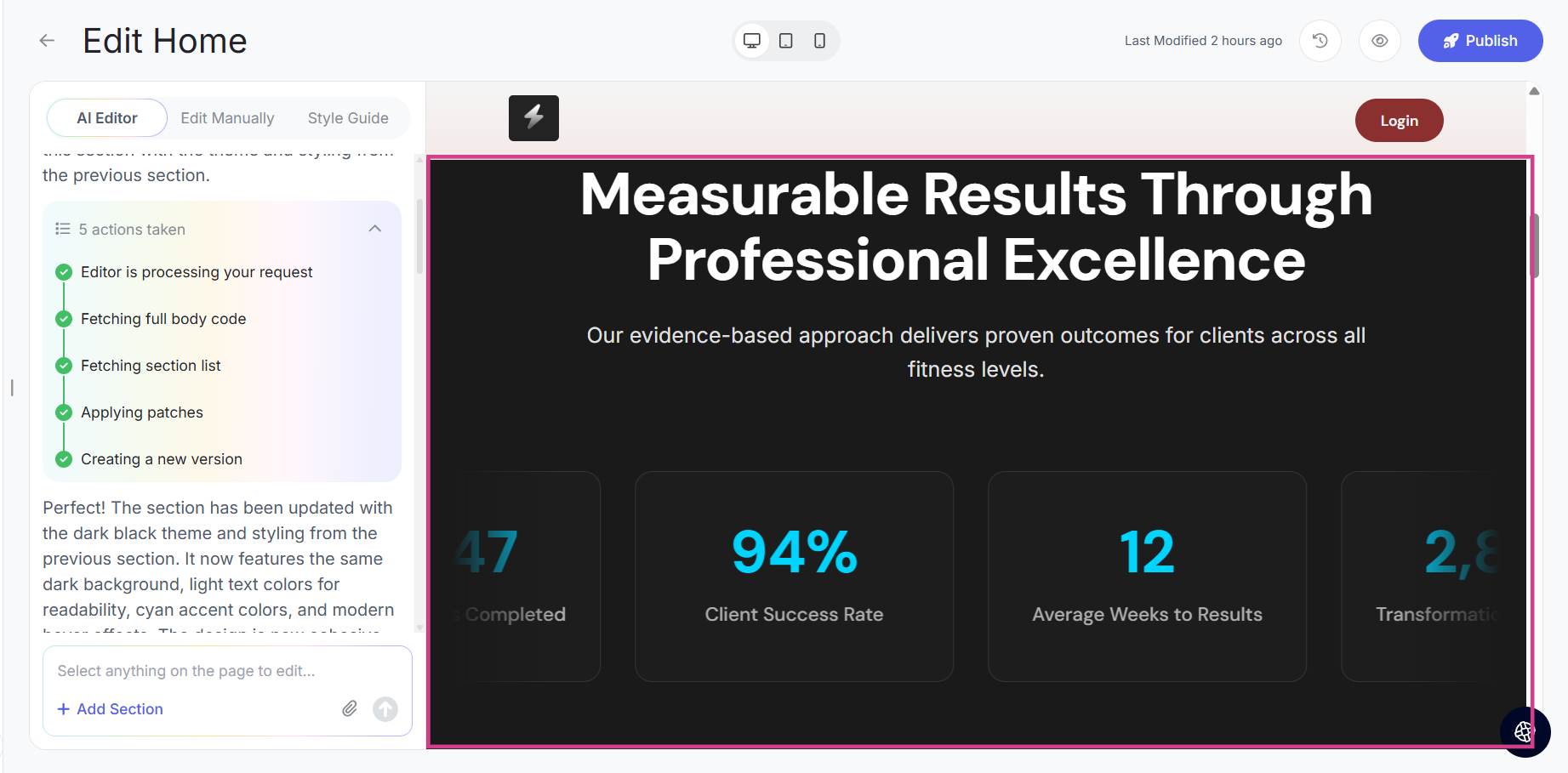
Step 3: The request is sent to the editor, and a new version of the section is created based on your instructions and the referenced section’s context.
Was this article helpful?
That’s Great!
Thank you for your feedback
Sorry! We couldn't be helpful
Thank you for your feedback
Feedback sent
We appreciate your effort and will try to fix the article