This article is a step-by-step guide on editing specific elements or section of your website pages using the AI Editor on Graphy.
The AI Editor is a powerful tool that lets you regenerate entire sections, customize specific elements, generate images, and add new sections to your page with a single click. Use AI prompts to rewrite content, update images, and transform your website in minutes without any coding knowledge. |
Step 1: Select the element you want to edit by clicking on that element.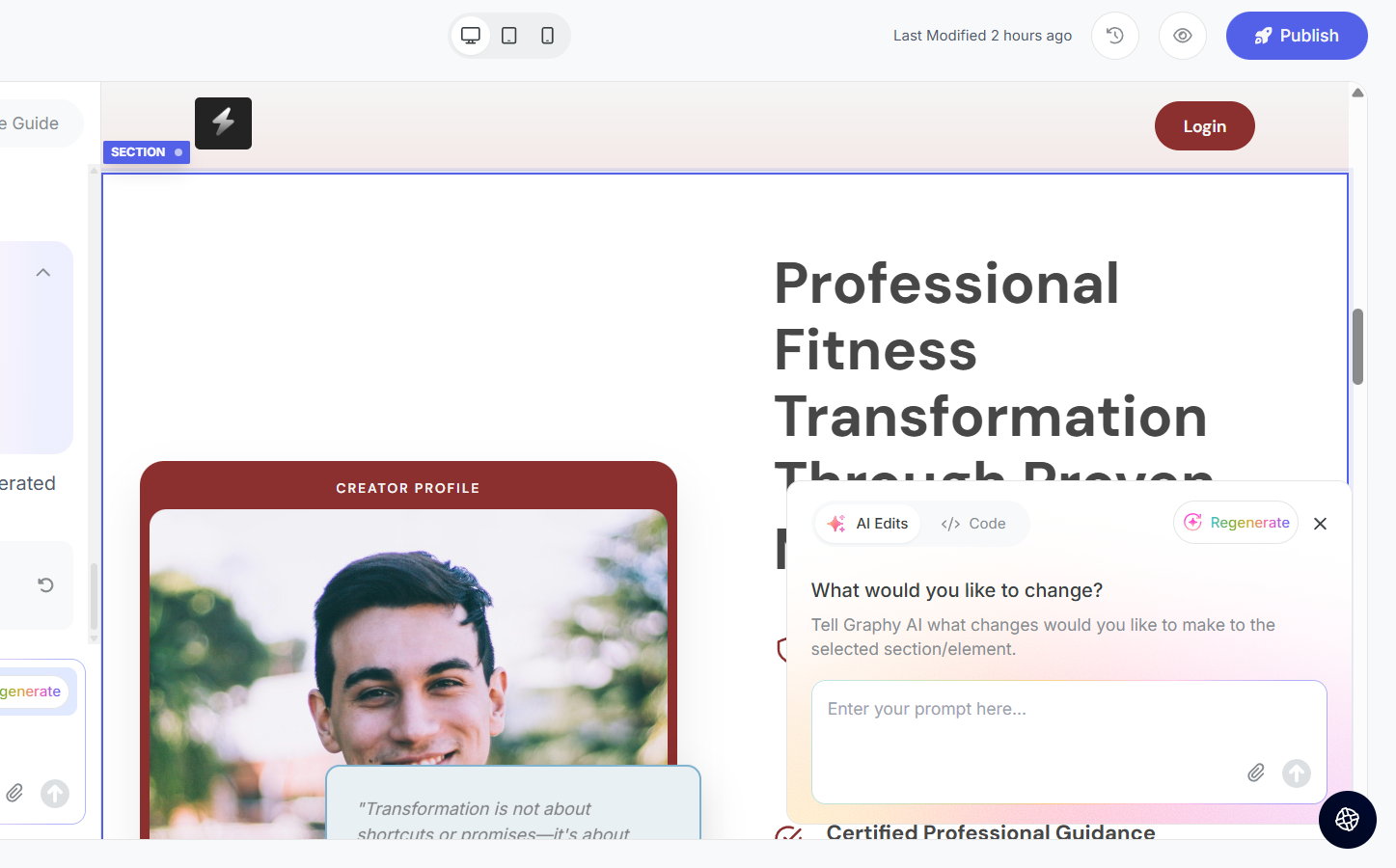
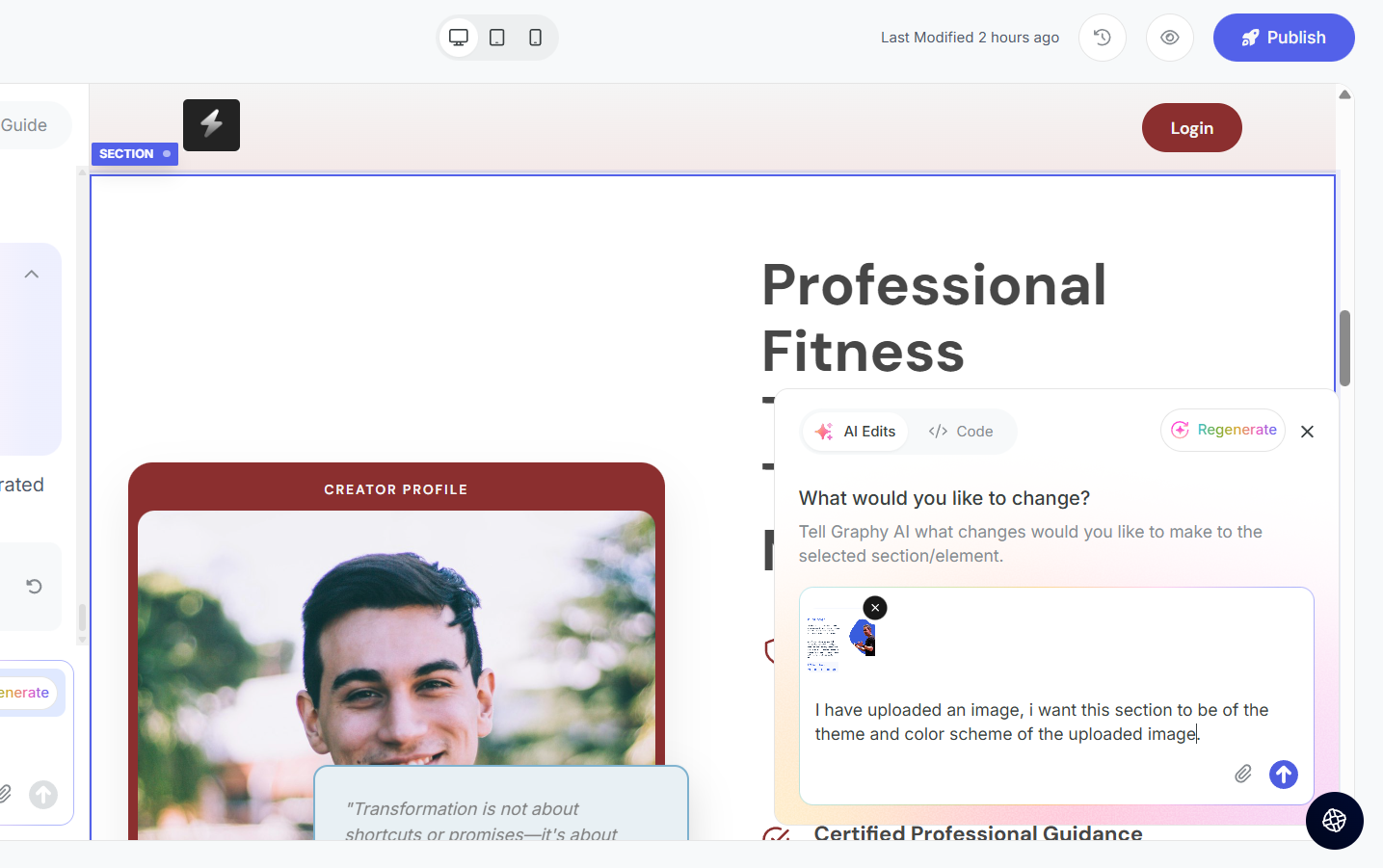
Step 2: In the AI edits Tab or in the chat window, write a prompt defining your requirement.
For example, you can upload a reference image and ask the AI to create that section accordingly.
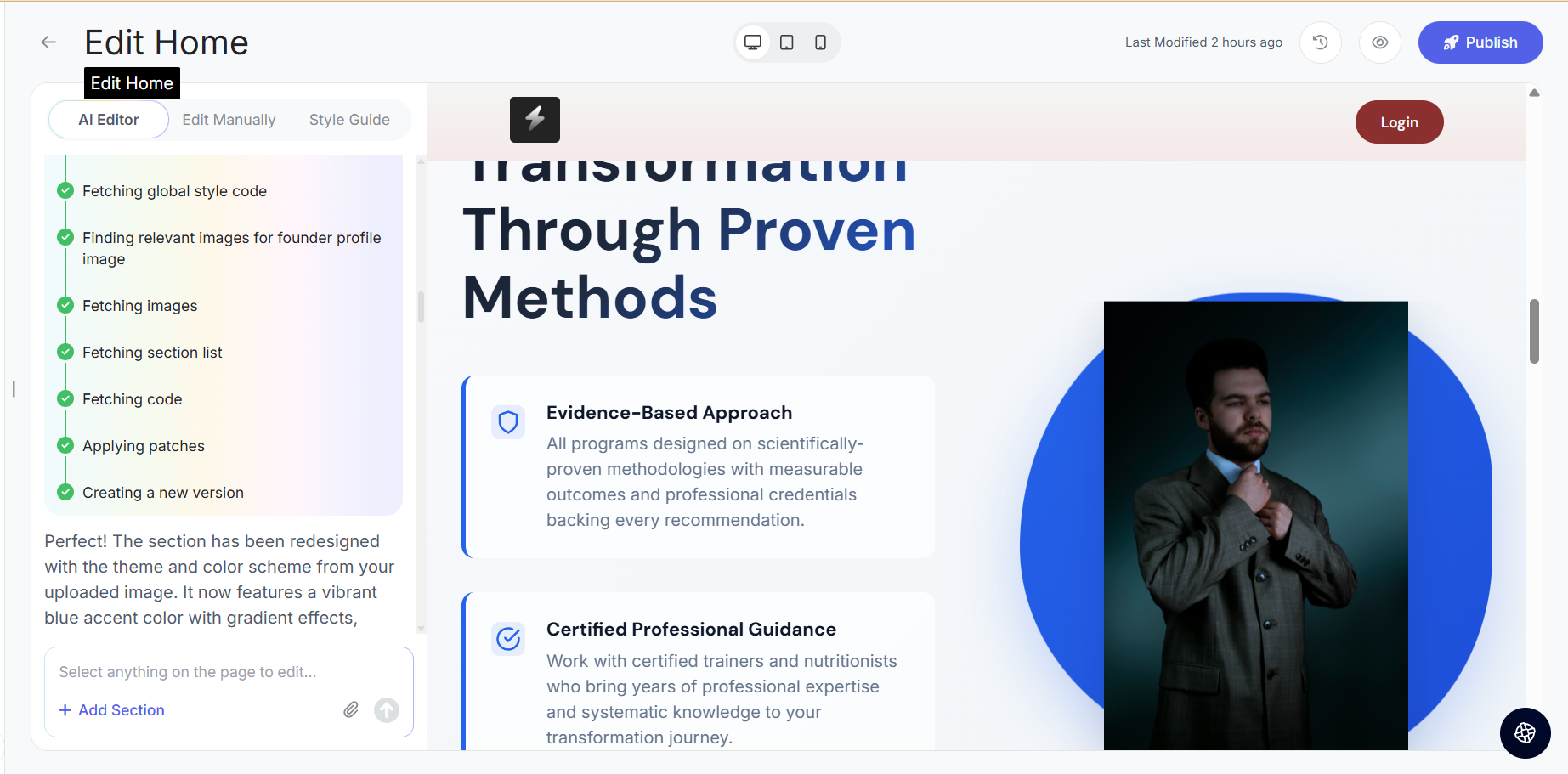
Step 3: The request is sent to the editor and the editor creates a new version according to your reference.
Was this article helpful?
That’s Great!
Thank you for your feedback
Sorry! We couldn't be helpful
Thank you for your feedback
Feedback sent
We appreciate your effort and will try to fix the article